
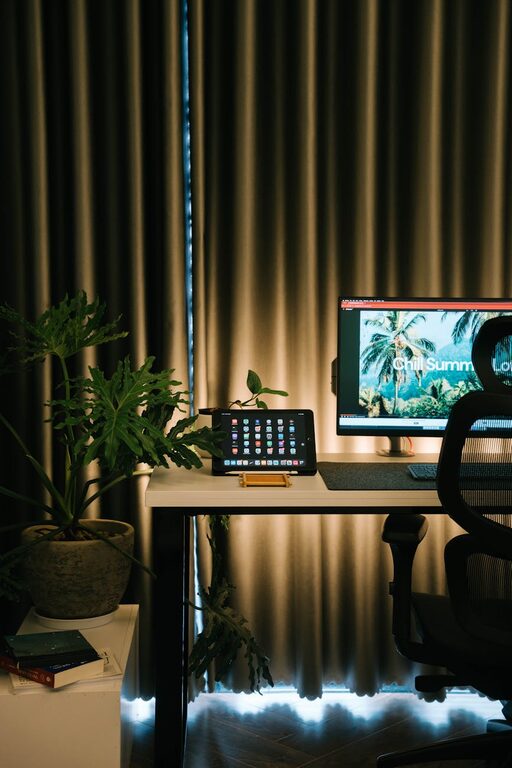
Creating a relaxing home workspace can profoundly impact your productivity and overall well-being. With many people spending more time working remotely, designing a space that promotes calmness and concentration is essential. In this post, we’ll explore practical tips to help you transform your home office into a productive, stress-free zone.
Why a Relaxing Workspace Matters
Before diving into design tips, it’s important to understand why a relaxing environment boosts productivity. A calm workspace reduces distractions and stress, helping you stay focused on tasks for longer periods. It also encourages creativity and problem-solving by fostering a positive mindset.
Choose the Right Location
Find a Quiet Spot
Pick an area of your home with minimal noise and foot traffic. A quiet corner or spare room works best to prevent interruptions. If dedicated space is limited, use room dividers or portable screens to create a more secluded feel.
Consider Natural Light
Natural light is one of the easiest ways to brighten a workspace and improve mood. Position your desk near a window if possible, but avoid glare on your screen by adjusting blinds or curtains.
Invest in Ergonomic Furniture
Comfort is crucial for productivity and relaxation. Invest in a quality chair that supports your back and promotes good posture. An adjustable desk can allow you to alternate between sitting and standing, reducing fatigue.
Organize Thoughtfully
Declutter Your Desk
A cluttered workspace can lead to a cluttered mind. Keep only essential items on your desk to maintain focus. Use cable organizers to manage cords and prevent tangles.
Use Storage Solutions
Shelves, drawers, and desktop organizers help keep supplies neatly stored and easily accessible. Label containers if needed to save time searching for items.
Incorporate Soothing Decor
Choose Calming Colors
Soft, neutral colors like pale blues, greens, or earth tones can create a tranquil atmosphere. Avoid overly bright or bold colors that might be distracting.
Add Plants
Indoor plants not only improve air quality but also add a touch of nature that lowers stress levels. Easy-to-care-for options like succulents or snake plants are ideal for busy individuals.
Display Personal Touches
Include a few meaningful items such as photos, artwork, or motivational quotes. These can inspire and comfort you without overwhelming your space.
Control Lighting
Along with natural light, use soft artificial lighting to prevent eye strain and create a warm ambiance. Desk lamps with adjustable brightness or warm LED bulbs are excellent choices.
Minimize Noise Distractions
Use noise-canceling headphones or play soothing background music if ambient noise is unavoidable. Alternatively, white noise machines or apps can help mask disruptive sounds.
Establish Healthy Work Habits
Take Regular Breaks
Scheduling short breaks boosts productivity and prevents burnout. Use timers or apps to remind yourself to stand, stretch, or walk briefly every hour.
Keep Hydrated and Nourished
Place a water bottle at your desk to encourage hydration. Having healthy snacks nearby can also maintain energy levels during busy work sessions.
Personalize Your Workflow
Customize your workspace with tools and technology that suit your needs. Whether it’s an extra monitor, a wireless keyboard, or a planner, having everything functional and convenient supports smoother workdays.
Maintain the Space
Regularly clean and organize your workspace to keep it inviting. Tidying up at the end of each day prepares you to start fresh the next morning.
—
Creating a relaxing home workspace is a combination of practical design and mindful habits. By choosing the right location, investing in comfort, organizing efficiently, and adding calming touches, you can build an environment that supports both relaxation and productivity. Start implementing these tips today and enjoy a more focused and enjoyable work-from-home experience.