
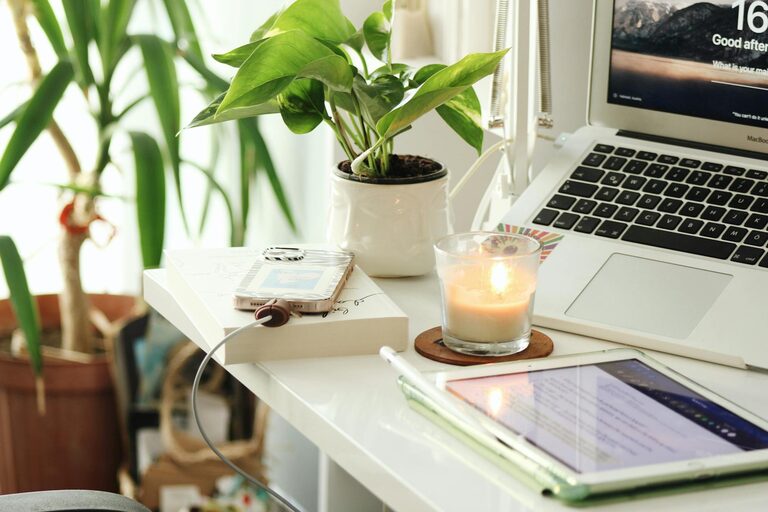
Creating a home office that feels both cozy and productive can transform your workday. When your workspace is inviting and well-organized, you’re more likely to stay focused, motivated, and enjoy your tasks. Whether you work from home full-time or occasionally, setting up the right environment is key. Here are some practical tips to help you design a home office that feels just right.
Choose the Right Location
Consider Natural Light
Position your desk near a window if possible. Natural light not only brightens the space but helps regulate your sleep cycle and improves mood. Avoid having direct glare on your computer screen by placing your desk perpendicular to the window.
Minimize Distractions
Pick a quiet corner of your home where foot traffic and noise are minimal. If complete isolation isn’t an option, consider noise-cancelling headphones or soundproofing methods like rugs and curtains.
Invest in Comfortable and Functional Furniture
Ergonomic Chair
A supportive chair is essential for long work hours. Look for one with adjustable height, lumbar support, and comfortable cushioning to prevent back pain.
Desk Size and Layout
Choose a desk that fits your available space but leaves room for essential items like a laptop, external monitor, notebooks, and a lamp. Organize your setup so frequently used items are within easy reach.
Organize Your Workspace Efficiently
Declutter Regularly
Keep only what you need on your desk. Use organizers, shelves, or drawers to store documents, office supplies, and tech accessories.
Use Vertical Space
Wall-mounted shelves or pegboards can hold books, files, and decorative items without taking up desk space. This keeps your workspace clear and visually appealing.
Enhance Lighting for Focus and Comfort
Layered Lighting
Combine natural light with task lighting and ambient lighting. A desk lamp with adjustable brightness helps reduce eye strain when working after dark.
Choose Warm Light
Warm-toned bulbs create a cozy atmosphere, while cooler light mimics daylight and may increase alertness. Decide which suits your work style best.
Personalize Your Space
Add Plants
Indoor plants improve air quality and add a touch of nature, making the room more inviting. Easy-to-care-for plants like succulents or pothos work well in home offices.
Incorporate Personal Decor
Display artwork, inspirational quotes, or photos that motivate you. Personal touches help reduce stress and make your workspace feel uniquely yours.
Manage Technology Smartly
Cable Management
Use cable clips, sleeves, or trays to tidy up cords and prevent tangling. A neat setup looks professional and minimizes distractions.
Reliable Internet and Equipment
Ensure your internet connection is stable and fast enough for video calls or uploading files. Invest in quality headphones, microphones, and webcams if needed.
Build a Routine to Boost Productivity
Set Boundaries
Treat your home office as a dedicated work area. Communicate your work hours to family members and stick to a schedule to separate work from relaxation.
Take Breaks
Plan short breaks to stretch or walk around. A cozy space should also encourage you to rest your eyes and body, helping maintain focus over time.
Keep Comfort in Mind
Temperature Control
Make sure your home office isn’t too hot or cold. Use a fan, heater, or open a window as needed to create a pleasant environment.
Soft Textiles
Add a cushion or a soft throw blanket to your chair. A comfortable setup encourages you to stay longer at your desk without feeling stiff.
—
Designing a cozy and productive home office doesn’t require a complete renovation. By focusing on comfort, organization, lighting, and personalization, you can create a space where work feels enjoyable and efficient. Start small, experiment with different setups, and adjust them until your workspace fits your style and needs perfectly.