
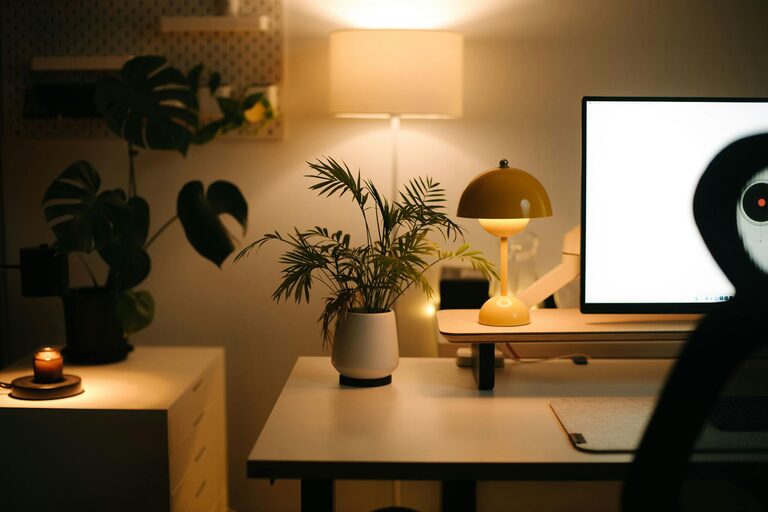
Creating a home workspace that is both relaxing and productive can greatly improve your work-from-home experience. With the right setup, you can reduce stress, stay focused, and enjoy a comfortable environment that fosters creativity and efficiency. Whether you have a dedicated room or a small corner, these tips will help you design a workspace tailored to your needs.
Why a Relaxing Workspace Matters
When your workspace feels calm and inviting, it encourages focus and helps reduce feelings of burnout. A cluttered, noisy, or uncomfortable area can distract you and lower your productivity. By prioritizing both relaxation and functionality, you create a balanced environment that supports long hours of effective work.
1. Choose the Right Location
Find a Quiet Spot
Select a space in your home with minimal distractions and noise. Ideally, this should be away from high-traffic areas, such as the living room or kitchen.
Consider Natural Light
Natural light can boost your mood and energy levels. Try to position your desk near a window to enjoy sunlight, but be mindful of glare on your screen.
2. Invest in Comfortable Furniture
Ergonomic Chair
An adjustable, supportive chair is essential. It helps prevent back pain and encourages good posture.
Functional Desk
Opt for a desk that fits your space and provides enough surface area for your computer, paperwork, and any tools you need.
3. Organize for Simplicity
Declutter Regularly
Keep only essential items on your desk to reduce visual clutter and distractions.
Use Storage Solutions
Incorporate shelves, drawers, or organizers to store supplies neatly and out of sight.
4. Personalize Your Space
Add Plants
Indoor plants improve air quality and add a touch of nature, promoting relaxation.
Decorate Tastefully
Include artwork, photos, or inspiring quotes that make you feel positive and motivated.
5. Control Lighting and Sound
Use Adjustable Lighting
In addition to natural light, have a desk lamp with adjustable brightness to avoid eye strain during evening hours.
Manage Noise
If ambient noise bothers you, consider noise-canceling headphones or a white noise machine to maintain focus.
6. Maintain Good Air Quality
Open windows regularly or use an air purifier to keep the air fresh. Good ventilation helps prevent fatigue and keeps you alert.
7. Incorporate Movement Breaks
Design your workspace with enough room to stretch or do quick exercises. Setting a timer to remind you to move every hour improves circulation and reduces tension.
8. Establish Boundaries
Separate your work area visually and mentally from your living space. This helps you switch between work mode and relaxation mode more easily.
Conclusion
A relaxing home workspace combines comfort and efficiency, making your workday more enjoyable and productive. By thoughtfully choosing your location, investing in ergonomic furniture, staying organized, and personalizing your space, you create an environment that supports your best work. Small adjustments, like managing light, noise, and air quality, along with reminders to move, will keep your mind and body in top shape. Start today by making simple changes and watch as your productivity and comfort improve.